
How to export trades from Tastytrade
In the Tastytrade desktop or web platform, open History, set the date range and click the download icon to export CSV.
Tastytrade is built for options traders, and options make journaling harder: multi-leg positions, rolls, assignments and expirations all have to end up in the right place before any statistic means anything. The transaction history export contains all of it, and importing it gives you per-strategy results instead of a single account number.
This page covers the export path on desktop and web, what each column does, how multi-leg positions and rolls are handled, and the common problems with fees and expired contracts.
Export the full transaction history for the period rather than only the trades tab, so fees and assignments are included in your net numbers.
Step by step
- 1Log in to the Tastytrade desktop or web platform.
- 2Open the History tab (Transactions).
- 3Set the date range you want to journal.
- 4Click the download/export icon and choose CSV.
- 5In TradeStack, click Import trades and drop the CSV in.
What TradeStack does with the file
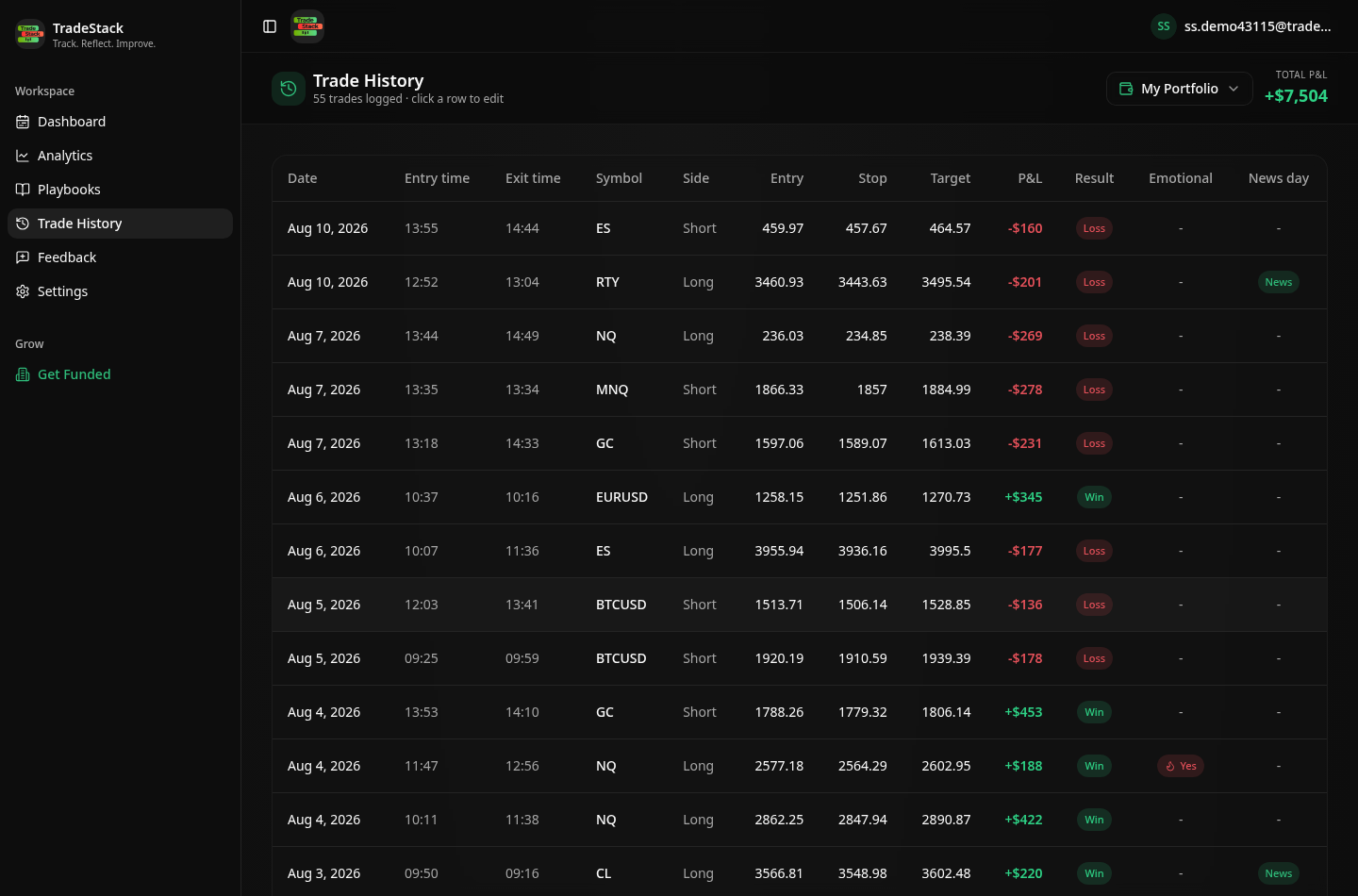
Tastytrade transaction exports include fees and commissions per leg, which TradeStack subtracts when computing realized P&L.
Which columns TradeStack reads
You never map columns by hand. The importer fingerprints the Tastytrade header row and reads the fields below; anything else in the file is carried along and stays editable on the trade.
| Export column | How it is used |
|---|---|
| Symbol / Underlying Symbol | Becomes the instrument. The underlying is kept alongside the contract so you can group results by ticker. |
| Action (Buy to Open, Sell to Close, etc.) | Sets direction and identifies opening versus closing legs, including rolls. |
| Quantity | Contract or share count per leg. |
| Average Price | Entry and exit price per leg, size-weighted where a leg filled in pieces. |
| Date | Sets the timestamp and the calendar day for the realized result. |
| Commissions and Fees | Subtracted per leg so a four-leg position carries its true cost and the journal matches your statement. |
| Value / Amount | The cash effect of the transaction, used to compute realized P&L on closes, expirations and assignments. |
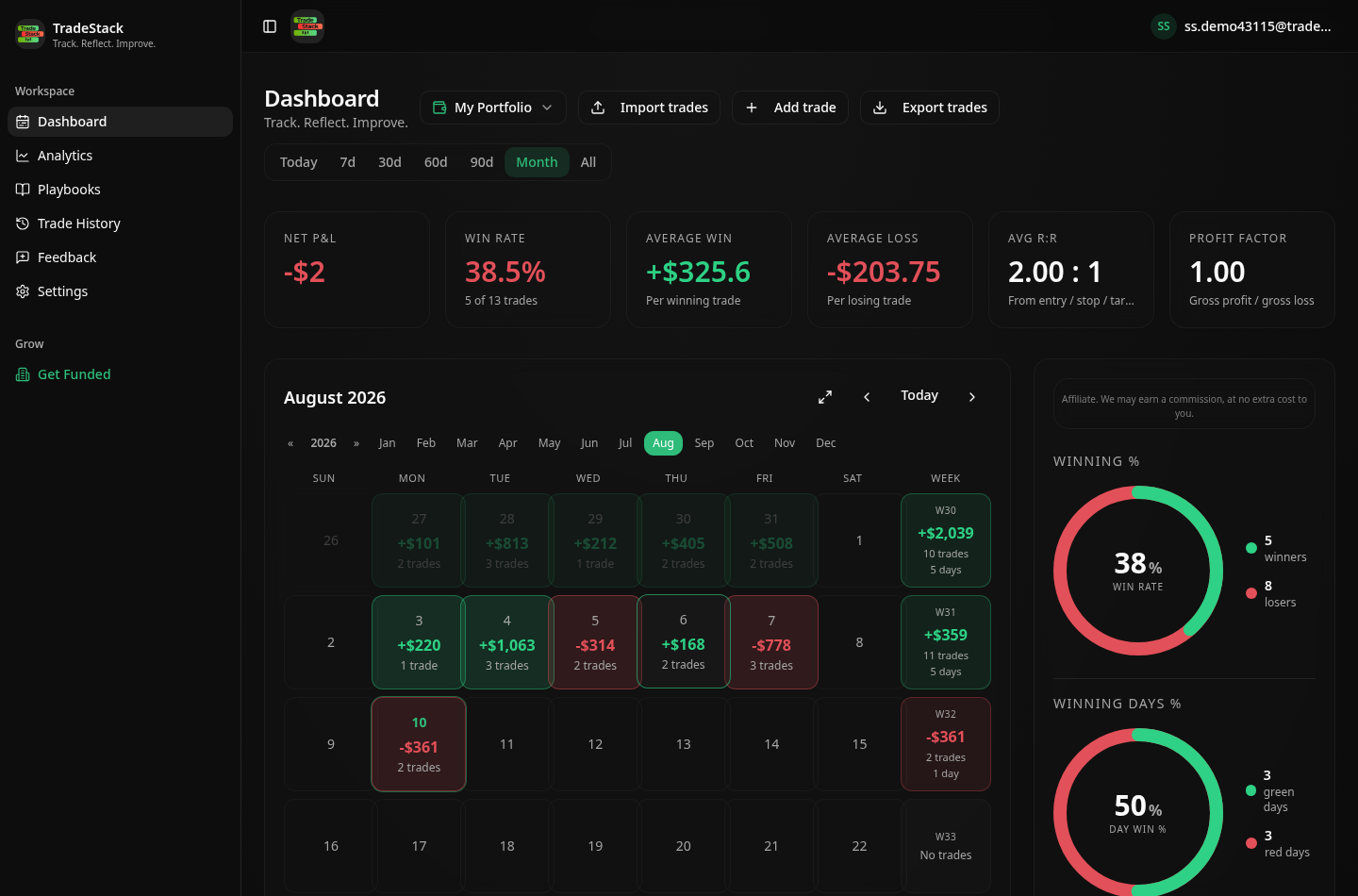
What the import looks like
When the export does not look right
Expired options are missing
Expiration rows sit in the transaction history, not the trades view. Export History rather than Positions so worthless expirations close the position correctly.
Rolls look like two trades
A roll is a close and an open, and it is imported as exactly that. Tag both with the same playbook if you want to review the whole campaign as one idea.
Fees make small trades look like losers
That is accurate rather than a bug — per-leg commissions and exchange fees on multi-leg trades are real. The fee total is shown separately so you can see the drag.
Futures options P&L is off
Confirm the export includes the full contract description; the multiplier is read from it.
Only part of the year exported
The date range control defaults to a short window. Widen it before downloading, or export month by month and import each file — duplicates are skipped.
Frequently asked
Do multi-leg option strategies import?
Yes, each leg imports and pairs by symbol and expiry.
Is futures history supported?
Yes, futures and micro futures both import.
Other broker guides
What to do with the data once it is in
TradeStack auto-detects your Tastytrade export and builds your daily P&L calendar, win rate, profit factor and expectancy. Free forever, no card required.
Start free