
How to export trades from Rithmic
In R Trader, open the Orders/Fills window, set the date range, right-click and export the grid to CSV.
Rithmic sits behind a large share of futures prop firm accounts, which means a lot of traders in evaluations have their entire record locked inside R Trader with no review tools at all. The fills window exports cleanly, and once journaled it produces the two numbers that decide an evaluation: consistency across days and the size of your worst day.
This page covers the export path in R Trader and R Trader Pro, what TradeStack reads, how fills become round-turn trades with correct contract multipliers, and the problems specific to prop firm accounts and multiple simultaneous evaluations.
Keep each evaluation account in its own portfolio so daily loss limits and trailing drawdown are measured against the right balance.
Step by step
- 1Open R Trader or R Trader Pro and log in.
- 2Open the Fills (or Completed Orders) window.
- 3Set the date range you want to journal.
- 4Right-click the grid and choose Export to CSV.
- 5In TradeStack, click Import trades and drop the CSV in.
What TradeStack does with the file
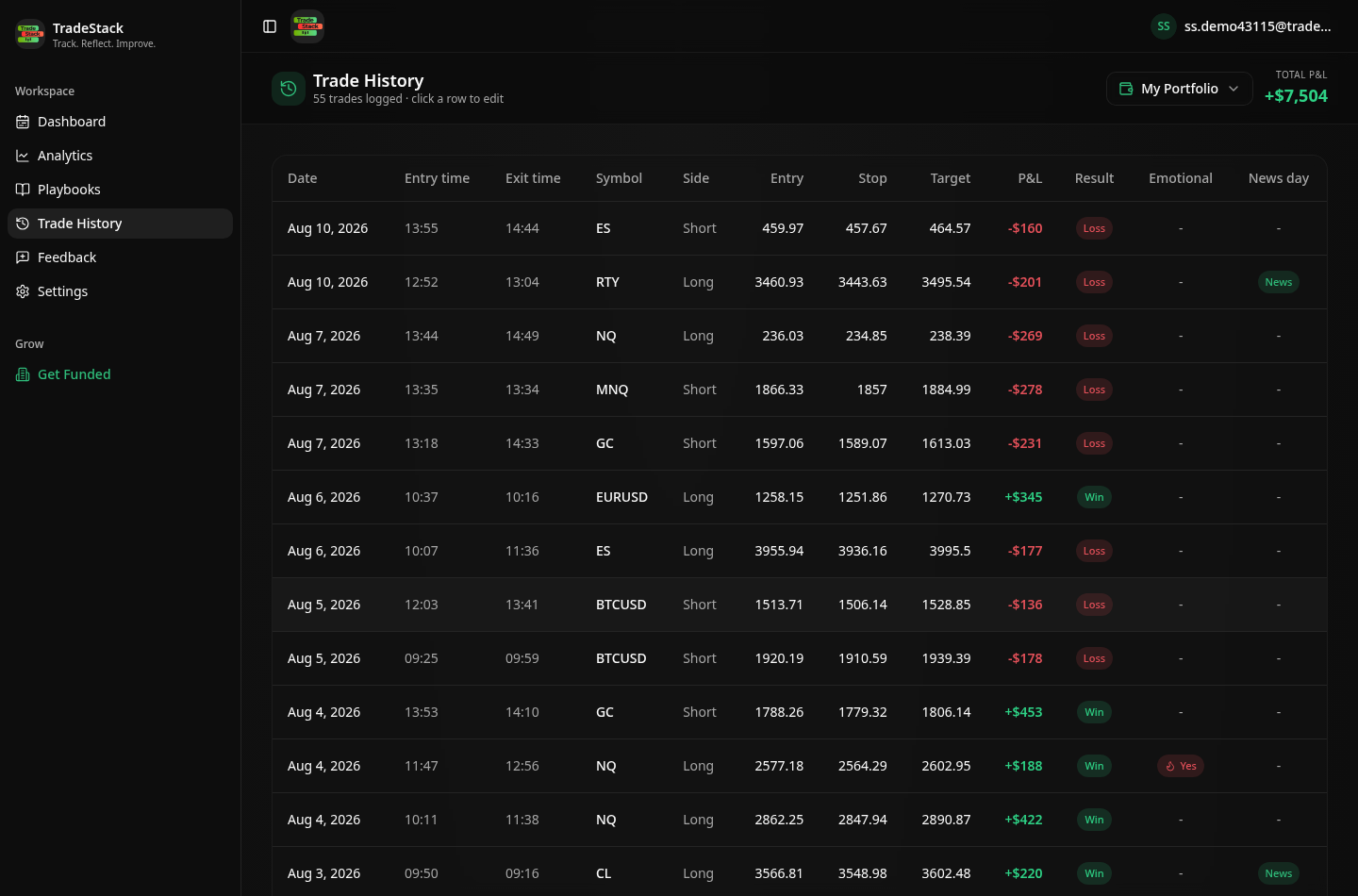
Rithmic is the data backend for many futures prop firms. TradeStack pairs the fills into round-turn trades and applies contract multipliers for common futures symbols.
Which columns TradeStack reads
You never map columns by hand. The importer fingerprints the Rithmic header row and reads the fields below; anything else in the file is carried along and stays editable on the trade.
| Export column | How it is used |
|---|---|
| Symbol / Instrument | Becomes the trade instrument. Futures roots such as ES, NQ, MES, MNQ, RTY, CL, GC and 6E are recognised and the correct tick value applied. |
| Buy/Sell | Sets direction and pairs opening fills with closing fills. |
| Qty / Filled Size | Contract count. Multiple fills on one order are combined into a single position. |
| Fill Price / Avg Fill Price | Entry and exit price, size-weighted across partial fills. |
| Fill Time / Date | Sets timestamps and the session day used by the daily P&L calendar. |
| Commission / Fees | Subtracted from gross P&L, which matters on high-frequency futures where fees are a large share of the result. |
| Account | Useful when you run several evaluations; export per account or split the file into separate portfolios. |
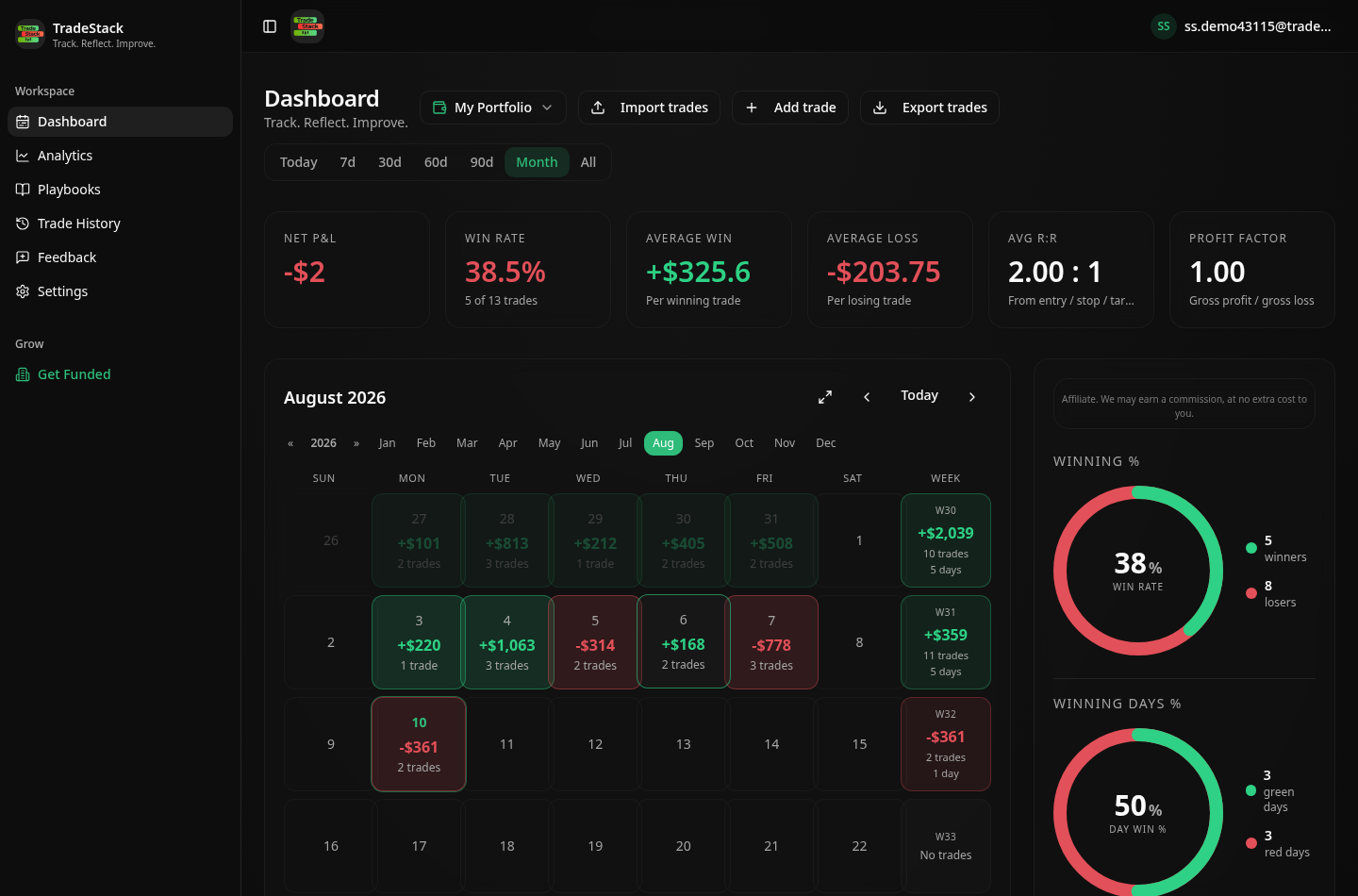
What the import looks like
When the export does not look right
The grid exports empty
R Trader exports only what is loaded in the window. Set the date range and let the grid populate fully before right-clicking to export.
Only today's fills are available
R Trader keeps a limited history window. Export at the end of each trading day, or pull the statement from your prop firm dashboard for older periods.
Two evaluations are mixed in one file
Filter by account before exporting. Mixing accounts makes drawdown tracking meaningless because the balances differ.
Micro contract P&L looks 10x too big
Check the symbol is the micro root, MES or MNQ rather than ES or NQ. The multiplier is read from the symbol.
Times are in Chicago time
Rithmic reports exchange time. Late-evening trades can land on the next session date, which matches how your prop firm counts the day.
Frequently asked
Which prop firms use Rithmic?
Many futures firms offer Rithmic alongside Tradovate. Either export imports into TradeStack.
Are contract multipliers handled?
Yes, common futures and micro futures multipliers are applied when computing P&L.
Other broker guides
What to do with the data once it is in
TradeStack auto-detects your Rithmic export and builds your daily P&L calendar, win rate, profit factor and expectancy. Free forever, no card required.
Start free